



Your WordPress Site Got Hacked: What to Do in the First 24 Hours





You found the red Google warning. Or hosting suspended the site. Or customers messaged that your homepage redirects to a pharmacy spam page.
Do not panic-delete files. Do not rebuild from a random backup until you know what is infected. The first 24 hours decide whether you recover cleanly or stay in a reinfection loop.
This is the practical playbook we use with Thailand SMEs: contain → assess → clean → harden → communicate. If the infection is deep, skip straight to a pro — see our malware removal services.
Short answer: take the site offline or into maintenance, lock wp-admin, open a hosting ticket, change every password, scan core/plugins/themes (do not delete random files), clean or restore from a known-good backup, harden against reinfection, then fix Google Safe Browsing / Search Console and tell stakeholders what happened.
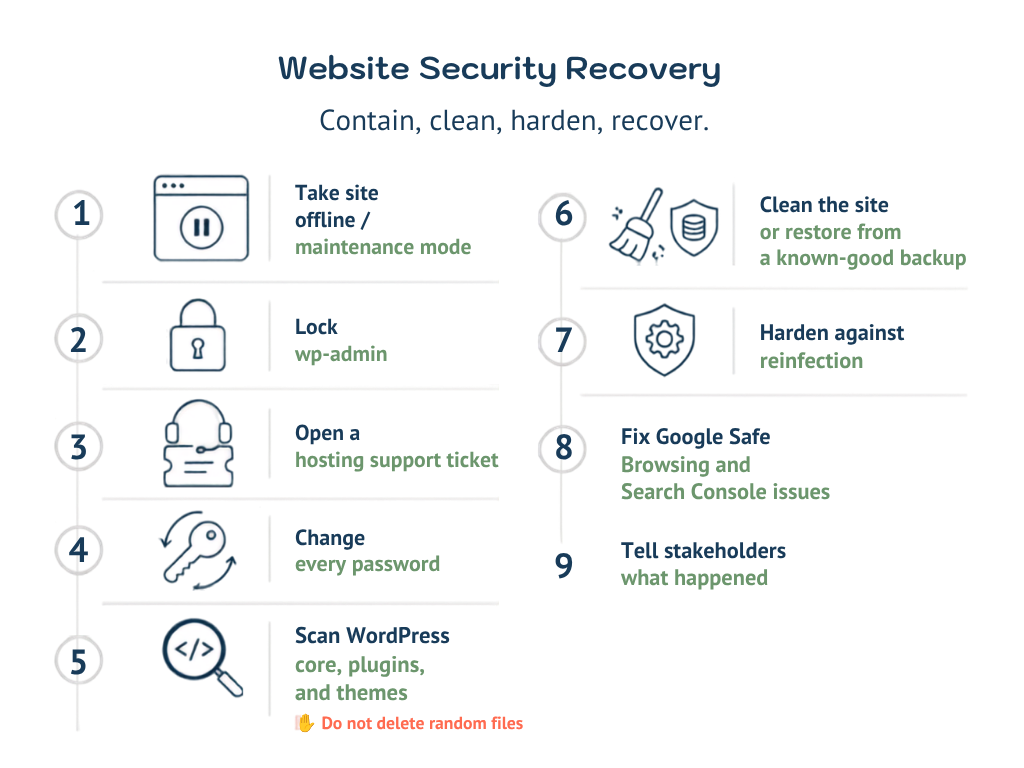
Contain first (hour 0–2)
Stop the bleeding before you “fix” anything.
- Put the site in maintenance / take it offline if visitors are being redirected, phishing, or downloading malware. A short outage beats spreading infection.
- Lock yourself out of bad actors: change the WordPress admin password from a clean device, then rotate hosting panel, FTP/SFTP, database, email, and any shared team logins.
- Open a hosting ticket immediately. Ask them to: confirm malware flags, share scan logs, temporarily disable public access if needed, and note the incident time.
- Preserve evidence. Screenshot the Google warning, note strange admin users, list recently modified files. Do not wipe logs yet.
- Disable unused admin accounts and remove unknown users. If you cannot log in, ask hosting to reset via database / wp-cli.
If you share passwords in LINE groups or a spreadsheet, treat those as compromised. Rotate everything.
Assess what was hit (hour 2–6)
Guessing wastes the day. Map the blast radius.
- Symptoms: redirects, fake pop-ups, new spam pages, defaced homepage, sudden CPU spikes, phishing forms, SEO spam injected into posts.
- Access path: outdated plugin/theme, nulled theme, weak admin password, old PHP, exposed
xmlrpc, compromised FTP, infected computer that saved wp-admin cookies. - Scope: files only, database too, or both? Cron jobs?
wp-config.php? Uploads folder with PHP webshells? - Backup quality: last known-good backup date. A backup taken after the hack is a reinfection kit.
Do not delete random files because a forum said “delete this.” You can break the site and leave the backdoor.
Clean properly (hour 6–18)
Cleaning is not “install one security plugin and hope.”
- **Take a full backup of the infected state** (files + DB) for forensics — separate from your restore target.
- Compare against clean WordPress core. Replace core files from wordpress.org for your exact version. Never “edit core” mid-incident.
- Audit plugins and themes. Remove unused ones. Reinstall needed ones from official sources (not zip files from unknown Drive links). Delete nulled / pirated themes — they are a common Thailand SME infection vector.
- Scan uploads and
mu-plugins. Look for unexpected.phpin uploads, odd must-use plugins, modifiedindex.php/.htaccess. - Database cleanup. Search for spam users, injected scripts in
wp_options(especiallysiteurl/home/ active plugins), and spam posts/comments. - Restore from known-good backup only if you will still patch the hole that let them in. Restore alone without hardening = same hack tomorrow.
If you are not sure whether a file is malware, stop. This is the moment to call a malware removal specialist rather than brick the site.
Harden so it does not come back (hour 18–22)
Most “we cleaned it” failures are reinfections, not incomplete first cleans.
- Update WordPress core, PHP (to a supported version your host allows), themes, and plugins.
- Remove unused plugins/themes permanently.
- Enforce strong unique passwords + 2FA on wp-admin where possible.
- Limit login attempts; consider changing the login URL only as a secondary control (not a substitute for updates).
- Review file permissions; block PHP execution in uploads if your host supports it.
- Turn on a real WAF / security stack and scheduled malware scans.
- Confirm automated offsite backups actually restore (test one).
Reinfect risk stays high until the original entry point is gone. A pretty homepage with the same outdated plugin is still open.
Communicate and recover trust (hour 22–24)
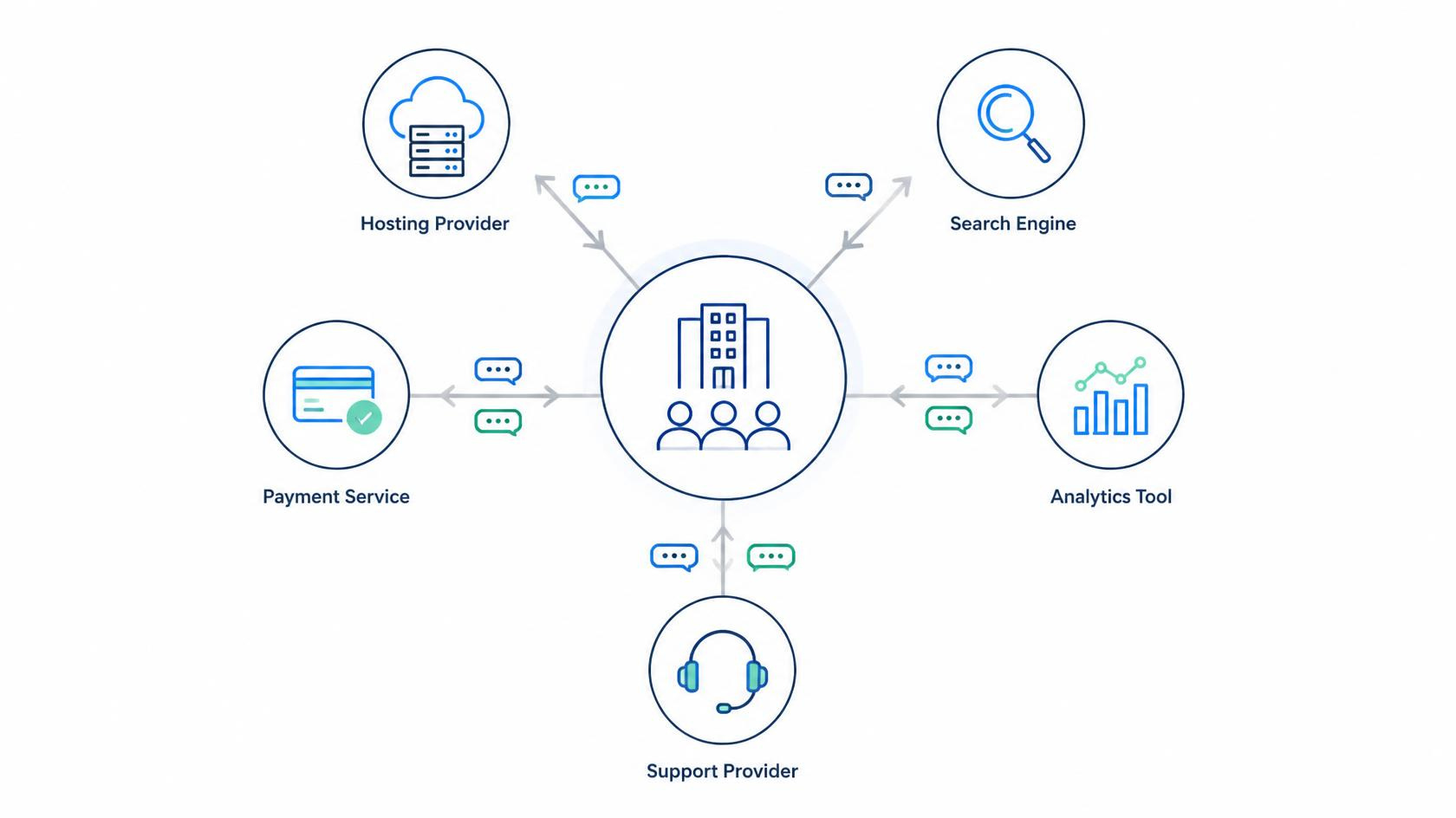
Technical clean is half the job. Trust is the other half.
- Google Search Console: request a review after Safe Browsing / security issues clear. Do not spam “request review” before the site is actually clean.
- Hosting / Safe Browsing: wait for host malware flags to clear; recheck with Google’s transparency tools if needed.
- Tell internal stakeholders (sales, ads, LINE admins): site may have been offline; pause ads that land on infected URLs until verified clean.
- If customer data might be exposed (forms, ecommerce, memberships), escalate with legal / PDPA guidance — do not hide it.
- Document the timeline for your team: detected → contained → cleaned → hardened → verified.
When to call a pro (do this sooner than pride allows)
Call for help if any of these are true:
- You cannot log into wp-admin and hosting support is slow.
- The site reinfects within hours of “cleaning.”
- You see webshells, unknown admin users, or
wp-configchanges you did not make. - Google still flags the site after your DIY pass.
- Ecommerce / customer data may be involved.
- Your only backup is also infected.
Digital Agency Bangkok cleans WordPress and HTML infections, patches the entry point, and hardens afterward. Work is scoped by assessment — hourly from 1,000 THB as published on our malware removal services page, with an estimate before we start. LINE / WhatsApp if you need it today.