

How to Choose Pictures That Look Great and Fit Your Website

Images on a website play a more important role than simply making it look attractive. They help communicate your brand story, build trust, and allow visitors to quickly understand what your website is about. The right images can capture attention, encourage users to stay longer, and increase the chances of inquiries or purchases.
Many business owners prepare content and images for their website without knowing which types of images work best for different pages. Choosing images carefully ensures your website looks professional and aligns with the messages you want to convey. This article provides practical tips on selecting images for your website that you can start using right away, brought to you by a professional web design agency in Thailand.
Understanding the Role of Images on a Website
Images act as a fast-acting communication tool. Visitors can get a sense of your brand's atmosphere and style within seconds. Well-chosen images explain what your business does, reduce the need for long blocks of text, and make content easier to understand.
For example, a web design company website that uses real photos of its team, behind-the-scenes shots, or clear examples of past projects instantly communicates professionalism and credibility. This is more effective than generic stock images that do not reflect the brand's identity.

Images also influence visitors' emotions and decisions. A restaurant website with real food photography, photos of the space, and dining scenes can stimulate appetite and confidence more than generic images that don’t reflect the actual experience. These visual cues make it easier for visitors to decide whether to contact, book, or make a purchase.
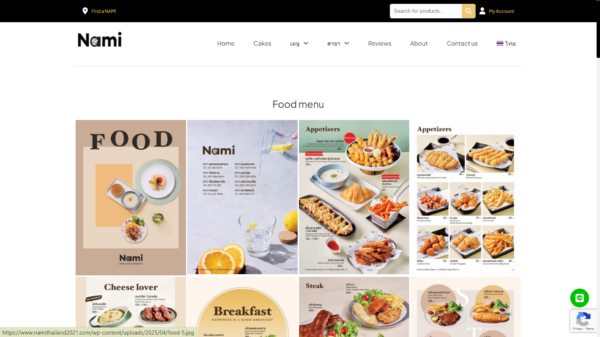
Another key role of images is guiding visual hierarchy. Images can draw attention to important areas, such as contact buttons, main offers, or featured services. When placed effectively, images help your website look organized, easy to navigate, and prevent visitors from feeling confused.
Once you understand the role of images, the next step is choosing visuals that align with your brand and website goals, making every image work effectively.
Key Factors When Choosing Images for Your Website
- Image Quality and Clarity
High-resolution, sharp images make your website appear professional and trustworthy. Blurry or pixelated images can make even the best content feel unpolished. - Consistency with Brand and Website Tone
Images should align with your brand colors, tone, and style. For instance, a luxury brand website may use warm-toned or wide-angle elegant shots, while a casual coffee shop may use soft, cozy images that convey friendliness. - Proper Licensing
Always consider copyright when selecting images, whether using stock photos or original photography. Copyright violations can lead to legal issues and harm your brand’s reputation. - Size and Page Load Speed
Large, unoptimized images can slow down your website, affecting user experience and SEO. Make sure images are properly sized and use file formats that balance quality with fast loading. - Ability to Communicate a Message or Mood
Good images convey what your website wants to say. Photos of team collaboration can communicate professionalism and teamwork, while product images build confidence and interest in what you offer.
Guidelines for Choosing Images for Different Pages
- Homepage / Landing Page Choose images that grab attention immediately, such as key products, services, brand atmosphere, or visuals that evoke the emotions you want visitors to feel.
- Product / Service Pages Use clear images of your actual products or services from multiple angles. Images should highlight features or real-life usage so visitors can easily understand details.
- Articles / Blog Posts Select images that help illustrate content and make it more engaging. They should relate to the topic and convey the story or mood effectively.
- Team / About Us Pages Use real team photos, behind-the-scenes shots, or work-in-progress images to build trust and create a personal connection with visitors.
- Call-to-Action (CTA) or Important Buttons Use images or graphics that draw attention to key actions, like contact, purchase, or signup buttons, to increase conversion opportunities.
Case Study The Deck Bangkok – Using Images to Enhance User Experience
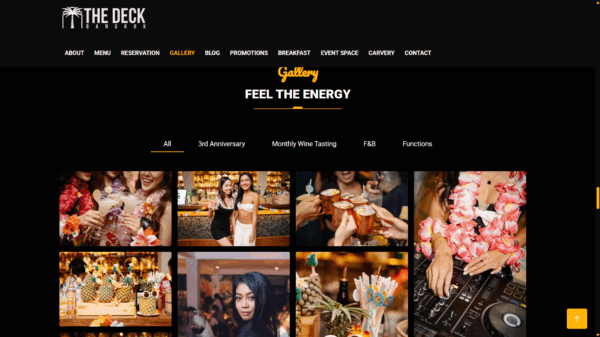
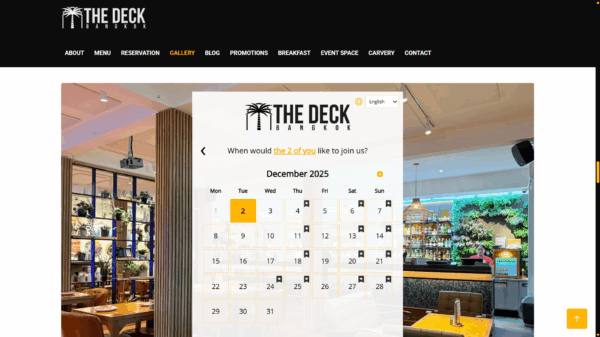
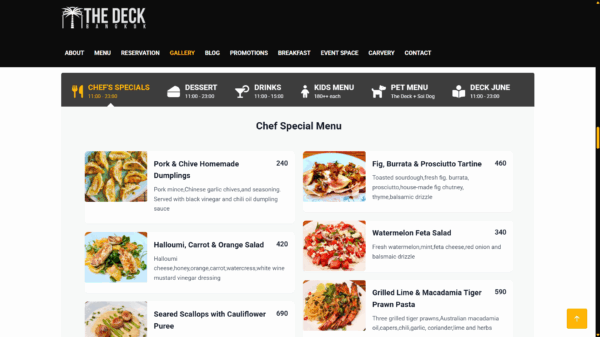
For a restaurant like The Deck Bangkok, image selection was a core part of the website design. Digital Agency Bangkok chose clear, appetizing food photography along with images of the restaurant’s atmosphere to reflect the brand’s style and identity. These images make visitors feel confident and excited to experience the restaurant, while highlighting signature dishes and creating an engaging homepage experience.

Conclusion
Choosing the right images for your website impacts your brand’s credibility and user experience. Sharp, on-brand images that tell your story can capture attention, help visitors understand content, and increase the likelihood of inquiries or sales. Proper placement, Alt Text, and optimized image size ensure your website performs at its best.
If you’re looking for a professional web design service that can help you select images that align with your brand and communicate effectively to visitors, Digital Agency Bangkok is ready to create a beautiful, trustworthy, and user-friendly website for you. Contact us today.