



Why Your Business Email Still Runs on the Wrong Infrastructure





The Silent Cost of Getting Email Hosting Wrong
A business can survive a slow website. It rarely survives unreliable email. Yet email infrastructure is one of the most under-examined decisions a company makes — chosen once during setup, then forgotten until a deliverability problem, a security breach, or a storage limit forces a painful re-evaluation. Understanding how email hosting actually works, and how the available options differ, is one of the highest-leverage technical decisions a business can make, precisely because so few people revisit it once it's running.
This article breaks down email hosting the way an infrastructure consultant would explain it to a client: what's actually happening behind the scenes when a message moves from a sender's outbox to a recipient's inbox, what separates a professional setup from an amateur one, and how to evaluate hosting options with the same rigor applied to any other piece of core business infrastructure.
What Actually Happens When You Send an Email
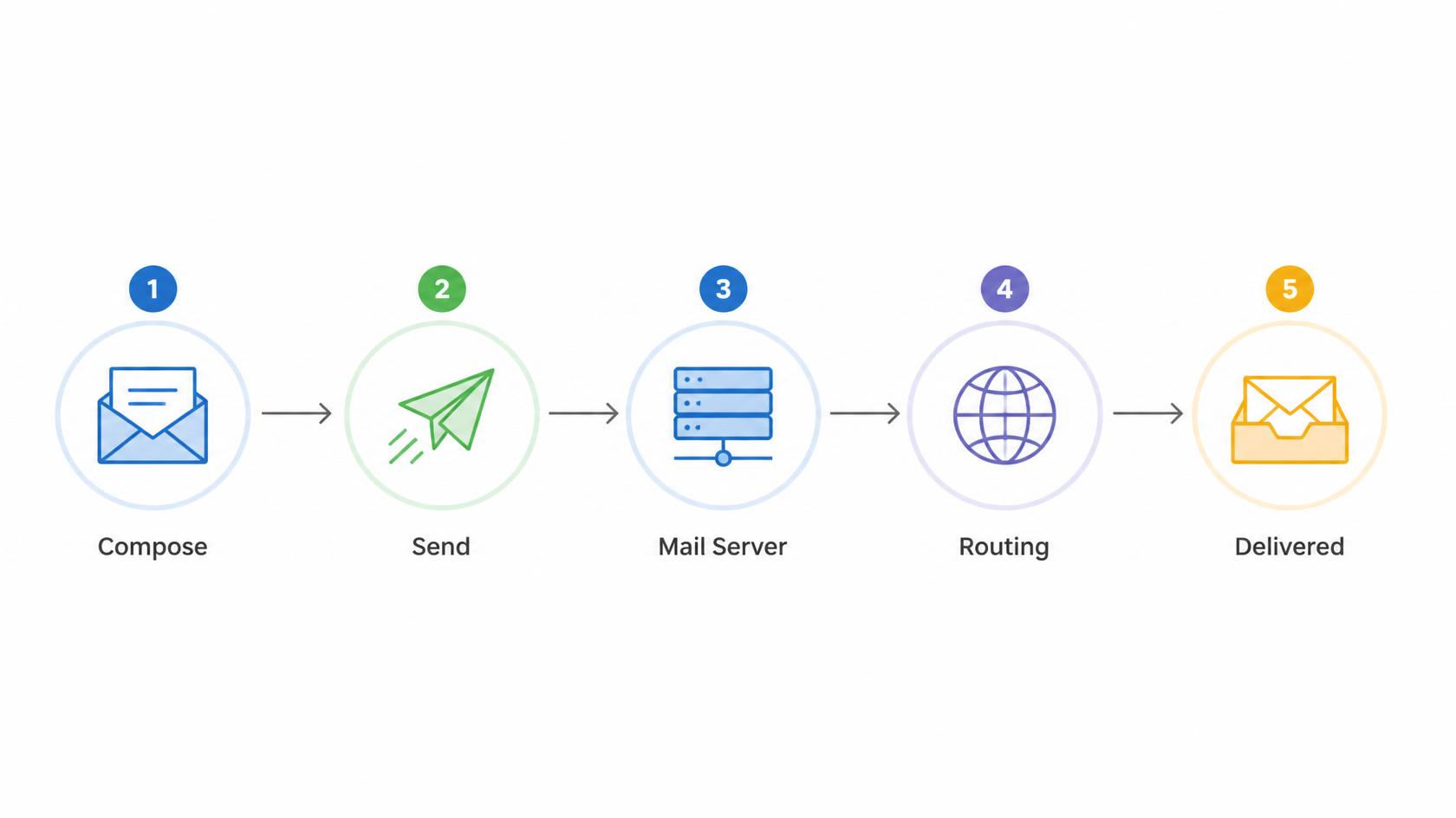
Before comparing hosting options, it helps to understand the mechanics. Every email hosting setup depends on a handful of core components working together:
- Mail Transfer Agent (MTA): The server software responsible for sending and routing outgoing mail using SMTP (Simple Mail Transfer Protocol).
- Mail Delivery Agent (MDA): Responsible for placing incoming mail into the correct mailbox once it arrives at the destination server.
- IMAP/POP3 servers: Protocols that let an email client (Outlook, Apple Mail, a webmail interface) retrieve messages from the mailbox. IMAP synchronizes messages across devices; POP3 downloads and typically removes them from the server.
- DNS records (MX, SPF, DKIM, DMARC): These tell the internet which servers are authorized to send mail on behalf of a domain, and they are the single biggest factor in whether your emails land in an inbox or a spam folder.
Email hosting, at its core, is the service that operates and maintains this entire stack on your behalf — the servers, the storage, the security layers, and the protocols — so that a business doesn't need to run its own mail server to have a professional, reliable email address on its own domain.
The Three Categories of Email Hosting
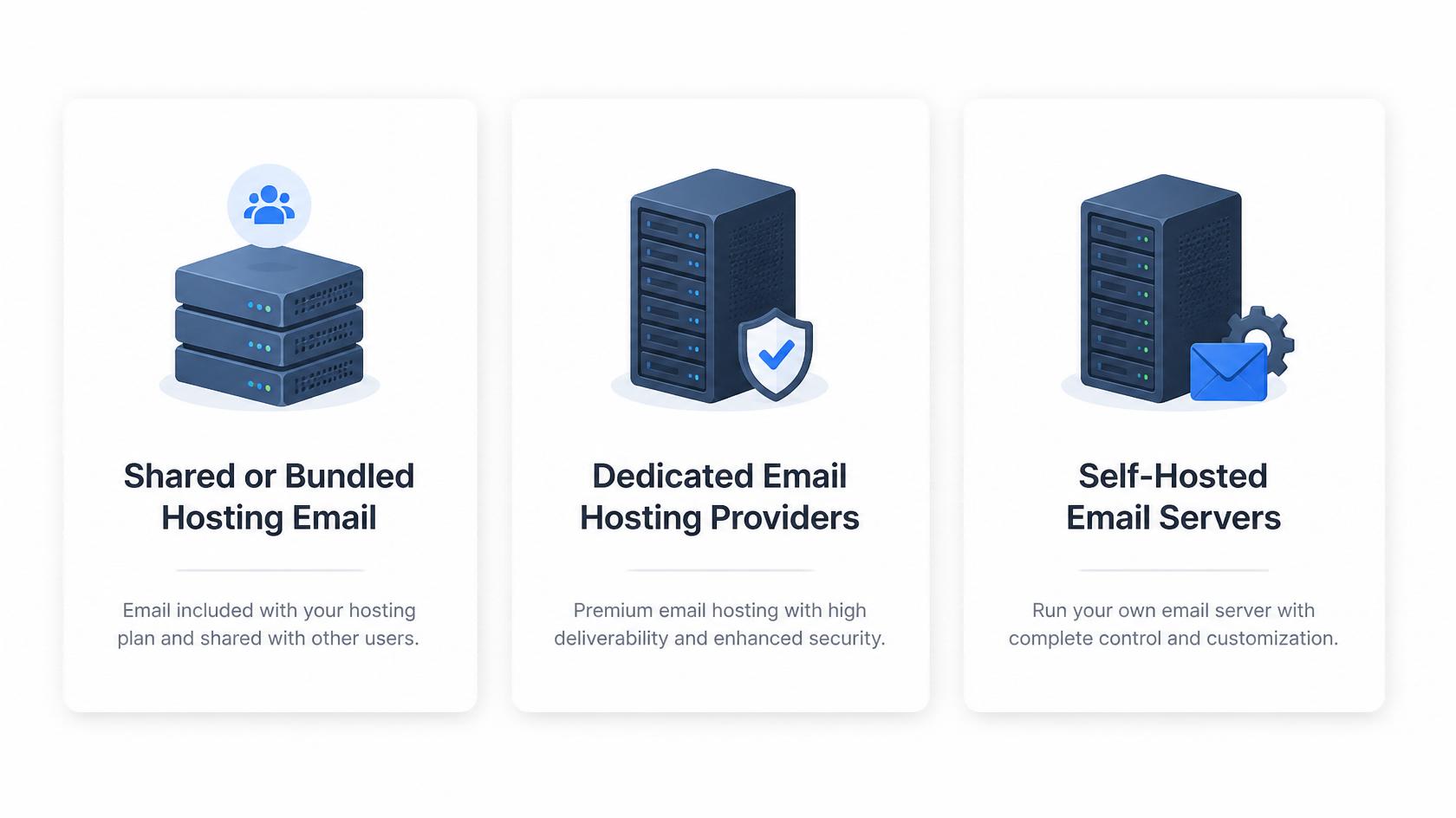
This is the email account that comes free or cheap alongside a traditional web hosting plan (cPanel-based hosting is the classic example). It's convenient because it requires no separate signup, but it shares server resources with website hosting, which means a traffic spike on the website can degrade email performance, and vice versa.
This category is generally suitable only for very small operations with minimal email volume and no dependency on email for revenue-critical communication.
Dedicated Email Hosting Providers
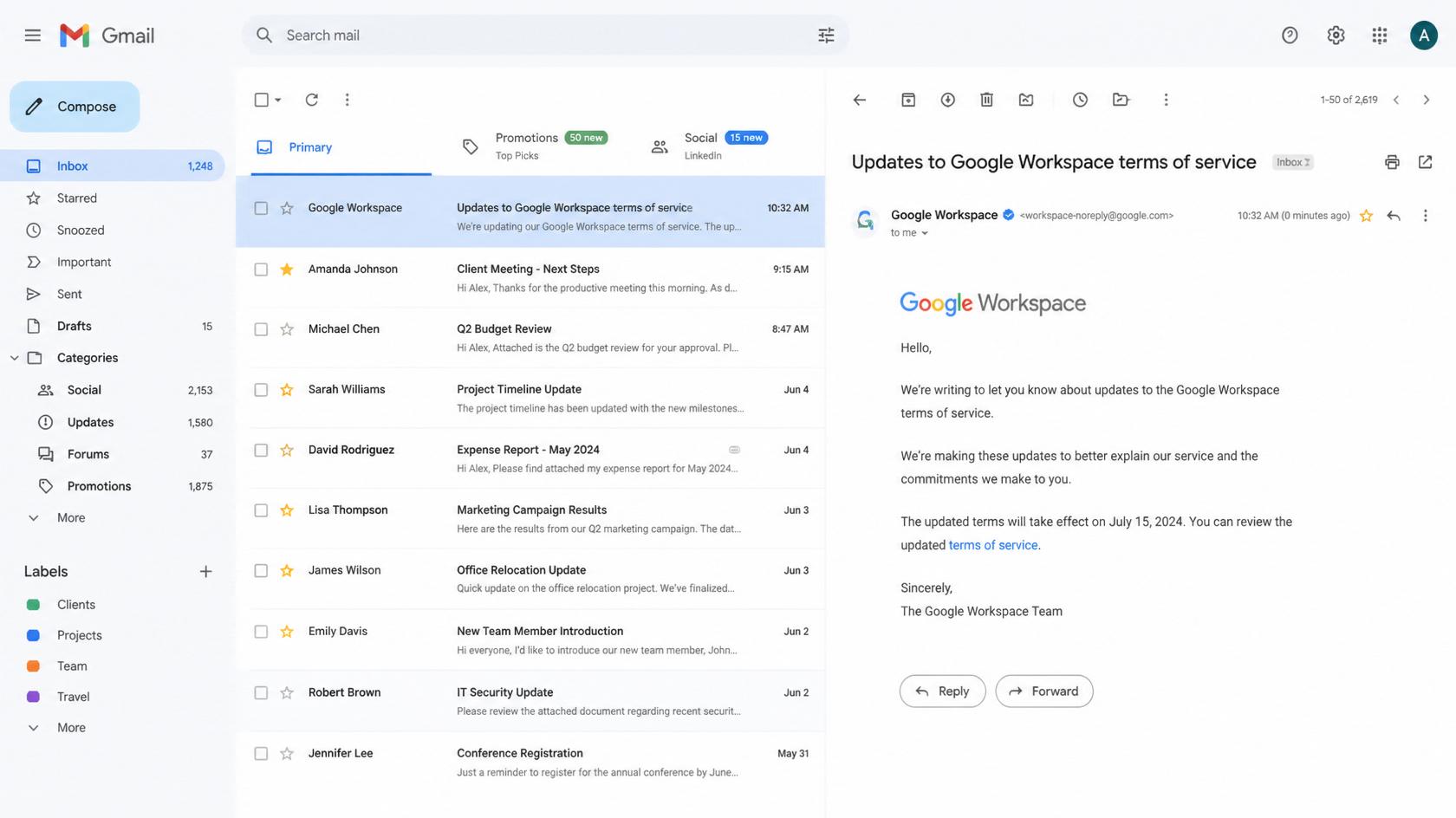
These are services built specifically around email — Google Workspace, Microsoft 365, Zoho Mail, ProtonMail Business, and similar platforms. Email is the product, not an add-on, which means infrastructure, spam filtering, uptime guarantees, and deliverability reputation are all optimized specifically for mail rather than shared with unrelated web hosting workloads.
This category is the standard choice for any business that treats email as a core communication and operational tool rather than an afterthought.
Self-Hosted Email Servers
Running your own mail server (using software like Postfix, Exim, or Microsoft Exchange on your own infrastructure) gives maximum control over data, configuration, and compliance posture. It also means your organization is fully responsible for security patching, spam filtering, uptime, backups, and deliverability reputation management — a substantial ongoing operational burden that most businesses are not equipped to carry well.
This category tends to appear in organizations with strict data residency or regulatory requirements, dedicated IT security teams, and a genuine need for infrastructure control that outweighs the operational cost.
Comparing the Options at a Glance
| Factor | Shared/Bundled Hosting | Dedicated Email Hosting (Workspace/365/Zoho) | Self-Hosted Server |
| Setup effort | Low — often pre-configured | Low to moderate — guided onboarding | High — requires server admin expertise |
| Monthly cost per user | Very low or bundled free | Low to moderate, scales per mailbox | Variable — hardware, bandwidth, and labor costs |
| Deliverability reputation | Weak — shared IP reputation with other tenants | Strong — dedicated infrastructure and reputation management | Depends entirely on internal configuration and monitoring |
| Storage capacity | Limited, often a few GB | Generous, often 30GB–unlimited depending on plan | Limited only by owned hardware |
| Spam and phishing filtering | Basic | Advanced, machine-learning based | Must be manually configured and maintained |
| Uptime reliability | Tied to shared web hosting stability | High, backed by enterprise SLAs | Entirely dependent on internal infrastructure and staff |
| Data control and compliance | Limited | Moderate — provider-managed compliance certifications | Maximum — full control over data residency |
| Scalability | Poor | Excellent — add mailboxes on demand | Requires manual infrastructure scaling |
| Best suited for | Very small sites with minimal email needs | Startups through large enterprises | Regulated industries, government, or dedicated IT teams |
The pattern in this table is consistent across almost every real-world evaluation: dedicated email hosting occupies the strongest middle ground between cost, reliability, and control, which is why it has become the default choice across the vast majority of growing businesses.
Why Deliverability Is the Metric That Actually Matters
Storage space and inbox design get most of the marketing attention, but the metric that actually determines whether email hosting is doing its job is deliverability — the percentage of sent messages that land in the intended inbox rather than a spam folder or a silent block.
Deliverability depends on several layered factors:
- Sending IP reputation: Shared hosting environments often place a business on an IP address previously used — or currently being used — by spammers, tanking deliverability through no fault of the business itself.
- Authentication records: Properly configured SPF, DKIM, and DMARC records prove to receiving mail servers that a message genuinely originates from an authorized sender, dramatically reducing the odds of being flagged.
- Sending volume and consistency: Mail providers build a sending reputation over time; sudden spikes in volume (common during marketing campaigns) can trigger spam filters if not properly warmed up.
- Content and engagement signals: Recipient behavior — opens, replies, spam reports — feeds back into how future messages from the same domain are treated.
A dedicated email hosting provider actively manages sender reputation as part of its core service. A self-hosted server puts that entire responsibility on the business's own IT staff, which is precisely why so many self-hosted setups quietly develop deliverability problems that go unnoticed until a client complains their invoice never arrived.
Security Considerations That Are Easy to Overlook
Email remains the single most common entry point for cyberattacks, particularly phishing and business email compromise. A hosting decision is, whether intentional or not, also a security decision. The strongest setups combine several protective layers:
- Encryption in transit (TLS) to prevent messages from being intercepted between servers.
- Encryption at rest so stored mailboxes remain protected even if underlying storage is compromised.
- Multi-factor authentication (MFA) on mailbox logins, which blocks the overwhelming majority of account-takeover attempts even when a password is stolen.
- Advanced threat protection that scans attachments and links for malware and phishing indicators before delivery.
- Data loss prevention (DLP) policies that flag or block outgoing messages containing sensitive information like payment card numbers or personal identifiers.
Dedicated hosting providers bundle most of these protections by default, or offer them as a straightforward add-on. Shared hosting environments frequently lack them entirely, and self-hosted environments require an internal team to implement and continuously maintain every layer, which is a nontrivial ongoing responsibility rather than a one-time setup task.
Migration: The Step Businesses Underestimate
Switching email hosting providers is not simply a matter of updating a password. A properly executed migration involves:
- Auditing existing mailboxes to determine total data volume, folder structures, and any custom rules or filters that need to be preserved.
- Provisioning the new environment with matching mailbox names, aliases, and distribution groups before any data moves.
- Migrating historical mail using provider-native migration tools, which preserve read/unread status, folder hierarchy, and metadata far more reliably than manual export/import methods.
- Updating DNS records (MX, SPF, DKIM, DMARC) with a carefully staged cutover to avoid a window where mail is lost or misdirected.
- Running a dual-delivery period, where old and new systems both receive mail temporarily, to catch any messages sent to stale server addresses during propagation.
- Communicating the change internally, since a poorly timed migration during a sales cycle or support-heavy period can cause real business disruption if messages are delayed.
Businesses that treat migration as a weekend task rather than a planned project are the ones who lose messages, break existing automation integrations, or suffer a temporary deliverability dip as the new sending domain builds its reputation from scratch.
Example: How the Decision Plays Out in Practice
Consider a small professional services firm — a design studio, a law practice, a boutique consultancy — currently running five mailboxes bundled into its website's shared hosting plan. Email frequently lands in client spam folders, storage limits are constantly hit, and there is no meaningful spam filtering beyond what came pre-installed.
Migrating to a dedicated email hosting provider typically resolves all three problems simultaneously: deliverability improves immediately because the sending infrastructure is no longer sharing an IP reputation with unrelated tenants, storage limits expand well beyond what the business will realistically use, and built-in spam and phishing filtering removes a recurring administrative headache. The cost difference is usually modest — often just a few dollars per mailbox per month — but the operational impact, particularly on client-facing communication reliability, is disproportionately large relative to that cost.
At the other end of the spectrum, a healthcare provider or financial institution bound by strict data residency and audit requirements may find that only a self-hosted or heavily customized enterprise solution satisfies compliance obligations, even though it costs more to operate and requires dedicated IT oversight to run safely. The right answer depends entirely on the specific regulatory, operational, and security context of the organization — there is no universally "best" option, only the option best matched to a given business's actual requirements.
The Underlying Principle
Email hosting is infrastructure, not a feature checkbox. Businesses that choose based on whichever option was cheapest or most convenient at setup time tend to discover the real cost later — in missed messages, damaged sender reputation, or a security incident that traces back to an under-protected mailbox. Treating the decision with the same seriousness applied to choosing a payment processor or a cloud database provider is the difference between email that quietly works in the background and email that becomes a recurring source of business risk.