



New Website Launch: Casa Pattaya – Property Company Website Design





Case Study: Casa Pattaya
Website: casapattaya.com
Industry: Real Estate & Luxury Property
Services: Platform Migration, Custom Web Application Development (Laravel + Livewire), Data Migration Engineering, AI Search Development, CRM Development, UX/UI Redesign
Overview
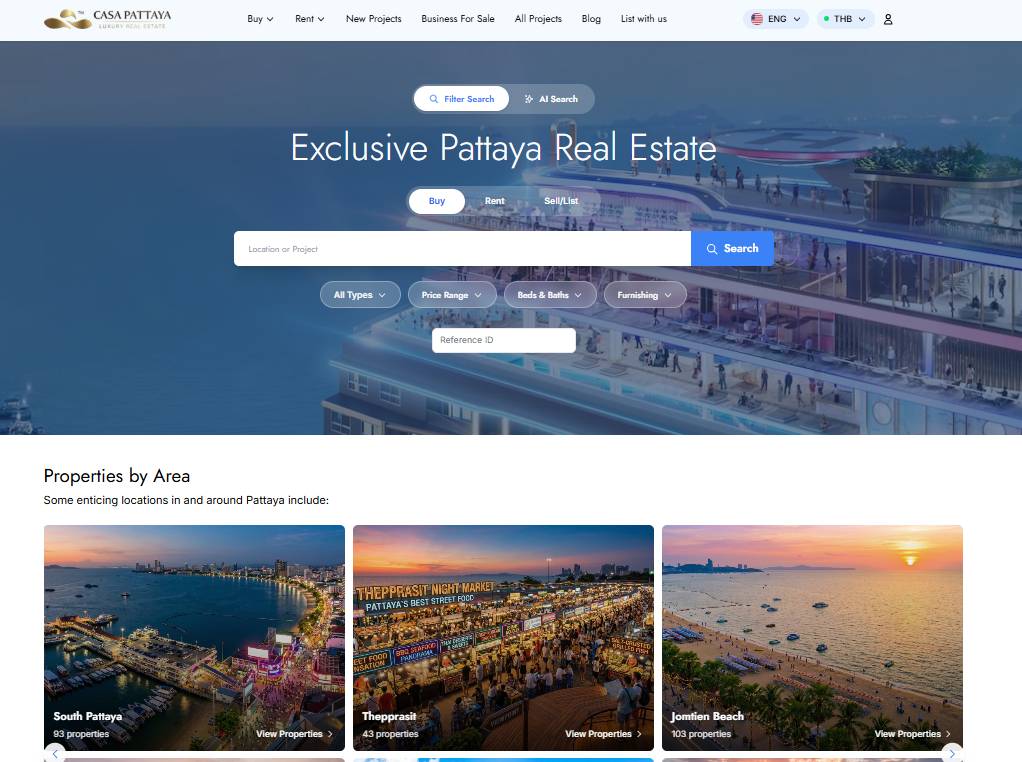
Casa Pattaya's original website was built on WordPress, a natural starting point, but one that had grown difficult to maintain as the brand's property inventory, blog content, and lead volume scaled up. Search across the site was unreliable, the design no longer matched the brand's luxury positioning, and visitors who were interested in a property often had no clear path to actually becoming a lead.
Our team was brought on to move Casa Pattaya off WordPress entirely and rebuild it as a custom application on Laravel with Livewire, carrying over years of blog content and thousands of property listings without losing any data or SEO value, and then continuing to build on that new foundation with an AI-powered search engine, a dedicated "List With Us" acquisition page, and a built-in CRM for managing leads and property owners.
The Challenge
The existing WordPress site had reached the limits of what a plugin-based CMS could reasonably support for a high-volume property brand:
- Broken site-wide search, the built-in WordPress search frequently returned irrelevant results or nothing at all, across both property listings and blog content, pushing frustrated visitors to leave rather than dig through pages of listings manually.
- Unprofessional appearance, the site carried the unmistakable look of a stock WordPress theme, undercutting the premium, boutique feel the brand needed to compete for high-value buyers.
- Poor conversion, there was no clear, consistent path from "browsing a listing" to "becoming a lead." Contact forms were scattered, slow, and disconnected from any system the sales team could actually work from.
- A large volume of legacy content at stake, years of blog posts and thousands of property listings, complete with images, custom fields, categories, and SEO-indexed URLs, all needed to survive the move without disappearing or breaking search rankings.
- Plugin dependency and technical ceiling, WordPress's reliance on third-party plugins for search, forms, and custom fields made the platform fragile and hard to extend with the more advanced features (AI search, CRM) the business needed next.
The Solution
We approached this as a full platform migration rather than a redesign, moving Casa Pattaya onto a custom-built Laravel application, carefully migrating every piece of existing content, and then treating the new platform as a foundation to keep building on.
Choosing Laravel + Livewire as the Foundation
We chose Laravel as the backend framework for full control over data structure, routing, and performance, free of the plugin sprawl that had accumulated on WordPress. Livewire was paired with it to build reactive, dynamic interfaces (live search filtering, dashboards, multi-step forms) directly in PHP and Blade, without needing to stand up and maintain a separate JavaScript SPA. This kept the codebase in one place, easier for the team to reason about and extend, while still giving visitors the fast, app-like interactions expected of a modern property site.
Migration Planning & Content Audit
Before writing any migration code, we ran a full audit of the existing WordPress database: how many blog posts, how many property listings, which custom fields each listing relied on (price, bedrooms, bathrooms, size, location, agent, gallery images), and how content was organized through categories and tags. This gave us a complete map from WordPress's post types and custom fields to a new set of Laravel Eloquent models, Property, BlogPost, Agent, Location, and Project.
With that map in place, we planned the migration in phases rather than a single cutover:
- Staging migration, run the full migration against a staging copy of the new Laravel app first, so nothing touched production data.
- Validation pass, compare migrated record counts, spot-check content and images against the live WordPress site, and confirm nothing was dropped or malformed.
- URL preservation check - confirm every migrated slug matches its original WordPress URL exactly, so no redirect layer is needed and existing SEO trust carries straight across.
- Production cutover, run the same, now-validated scripts against production, point DNS to the new Laravel application, and monitor closely in the following days.
Migration Scripts: Reading the Old Data and Bringing It Across
The actual migration was handled in two steps. A set of standalone PHP scripts connected directly to the legacy WordPress database, read the relevant tables (posts, postmeta, term relationships), and exported each record into a clean, structured PHP data file - one per content type (blog posts, properties) - with every field already normalized and each image referenced by its URL. Laravel then reads those PHP datafiles through a set of custom Artisan import commands, mapping each entry onto the new Eloquent models and writing it into the new schema. Both the export scripts and the Laravel import commands supported a -- dry-run mode for safe testing, logged their progress as they ran, and stored the original WordPress ID against each new record so either step could be re-run safely without creating duplicates.
Blog Migration Command
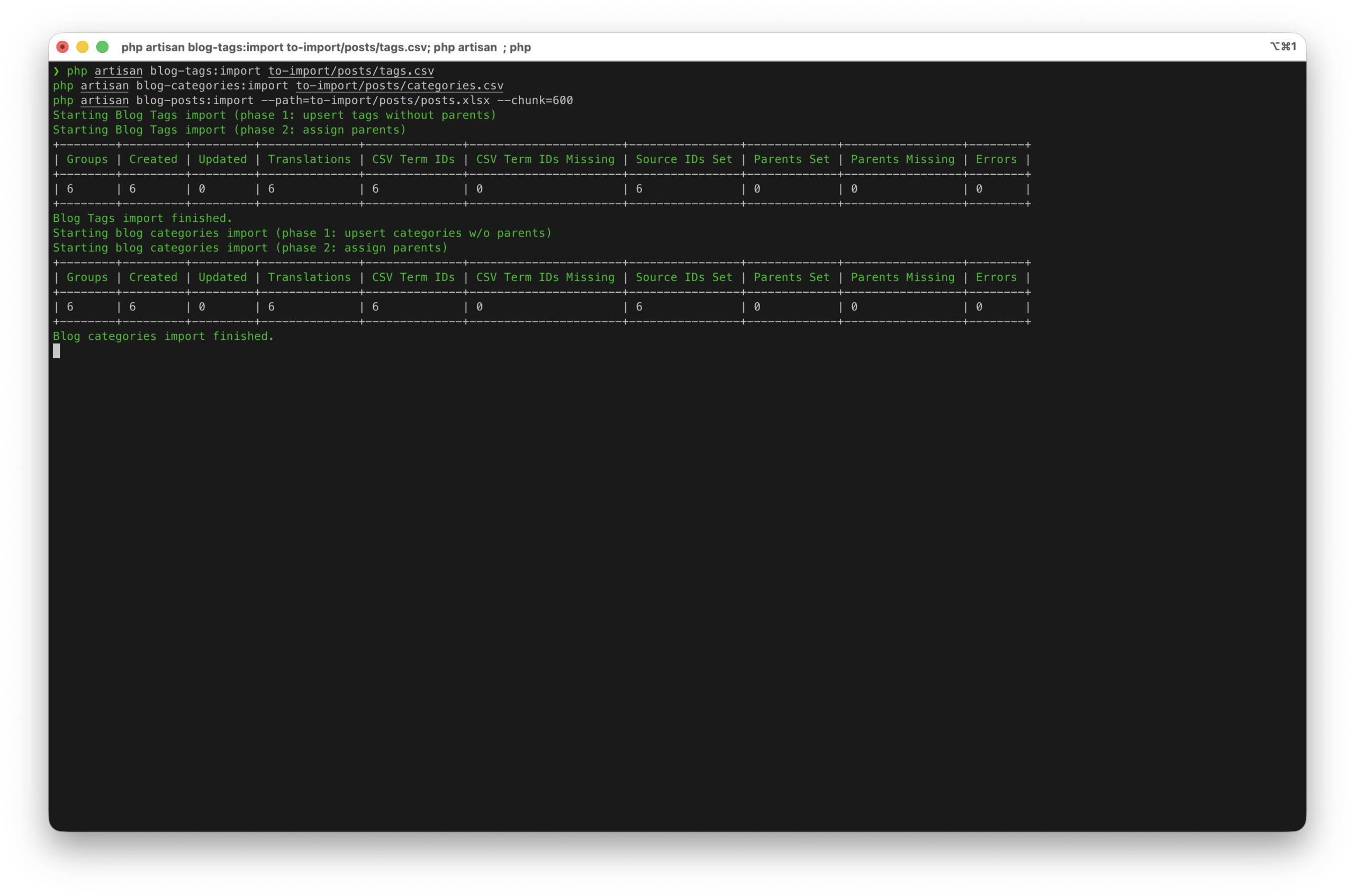
This command reads every published post from wp_posts, pulls its metadata (featured image, categories, tags, author) from wp_postmeta and the term relationship tables, cleans up any WordPress short codes or block markup into plain HTML, re-hosts the images, and inserts the result into the new blog_posts table:
Property Migration Command
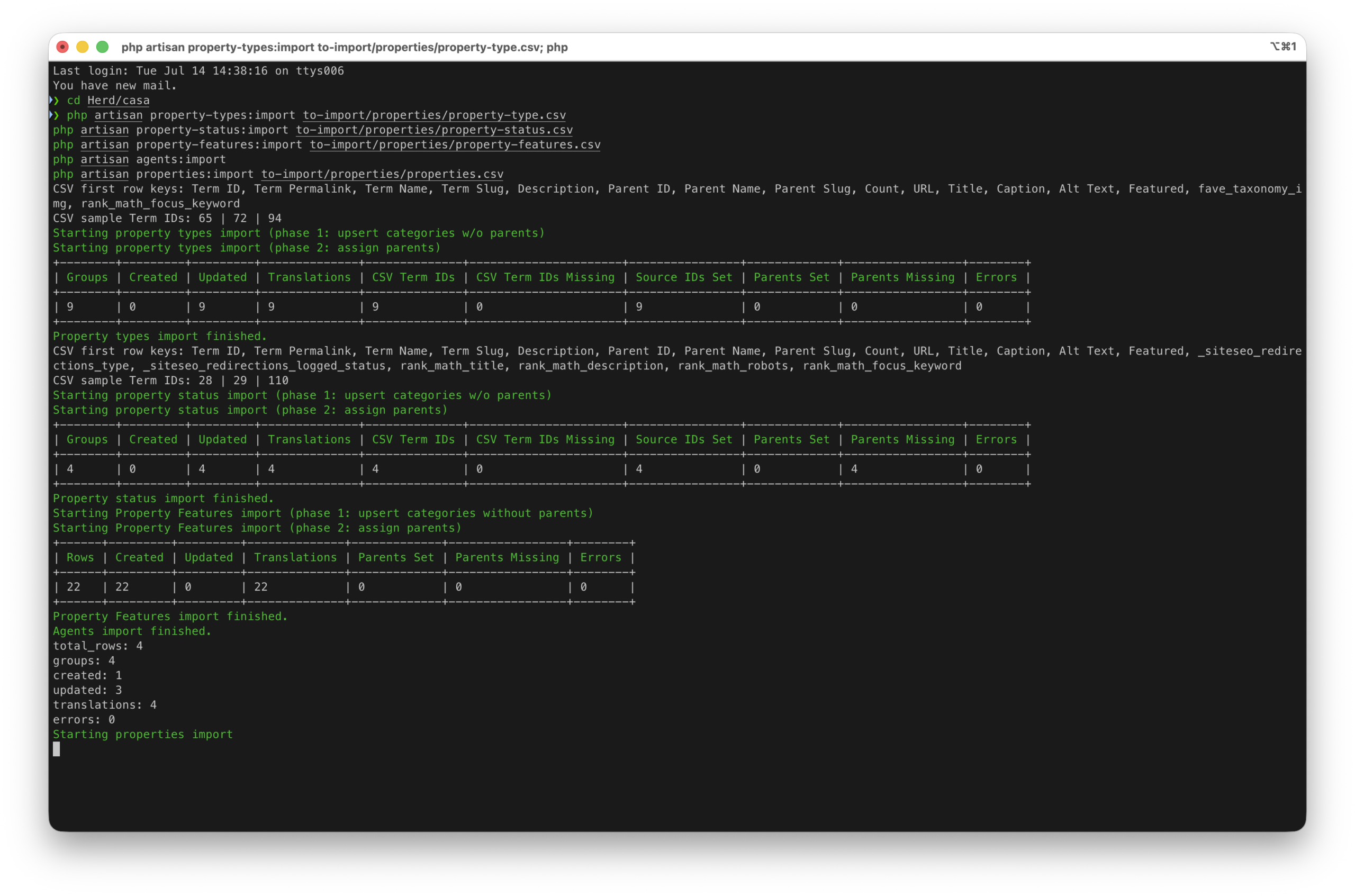
This command reads the custom property post type, pulls each listing's Advanced Custom Fields (price, bedrooms, bathrooms, size, area, agent, gallery image IDs), maps its location and agent references onto the new Location and Agent models, downloads the full image gallery, and writes everything into the new properties table
Both commands were run first with --dry-run to log exactly what would be created without touching the database, then re-run for real once the output was reviewed. The legacy_wp_id column on every migrated record made the whole process idempotent, safe to stop, fix an edge case, and pick back up without duplicating content.
Preserving the Same URLs to Protect SEO Trust
Rather than moving content to new URLs and relying on redirects to carry the SEO value across, we made a deliberate decision to keep every blog post and property on the exact same URL it had on WordPress. Each export script captured the original post_name/slug alongside the rest of the content, and the Laravel import commands wrote that same slug straight into the new schema, so a listing that lived at /property/some-condo-name or a post at /blog/some-article-title continues to resolve at that identical path on the new platform.
This avoided the risk that comes with any large-scale redirect setup - dropped rankings, slow re-indexing, or edge cases where a redirect rule doesn't quite match the old URL pattern. With the URLs themselves left untouched, search engines see no meaningful difference between the old page and its replacement, and the backlinks, rankings, and search trust the brand had already earned carried over intact from day one of the new site.
Additional Customization After Migration
Once the migration itself was complete and validated, the new Laravel + Livewire foundation gave us room to keep improving the platform rather than simply replicating what WordPress used to do:
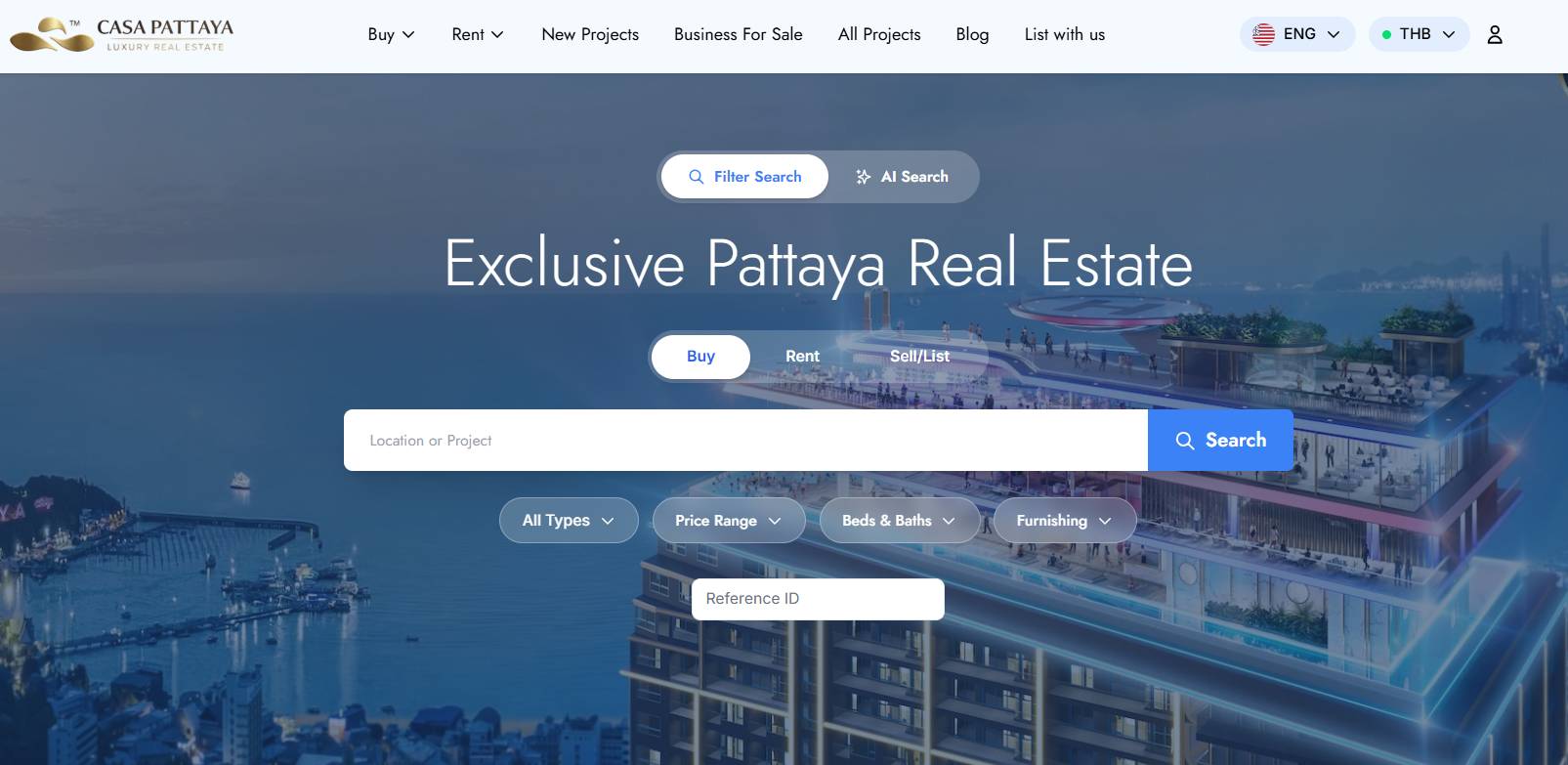
- A rebuilt search engine, replacing the old, unreliable WordPress search with a properly indexed, Laravel-native search across both properties and blog content, returning fast, relevant results for the first time
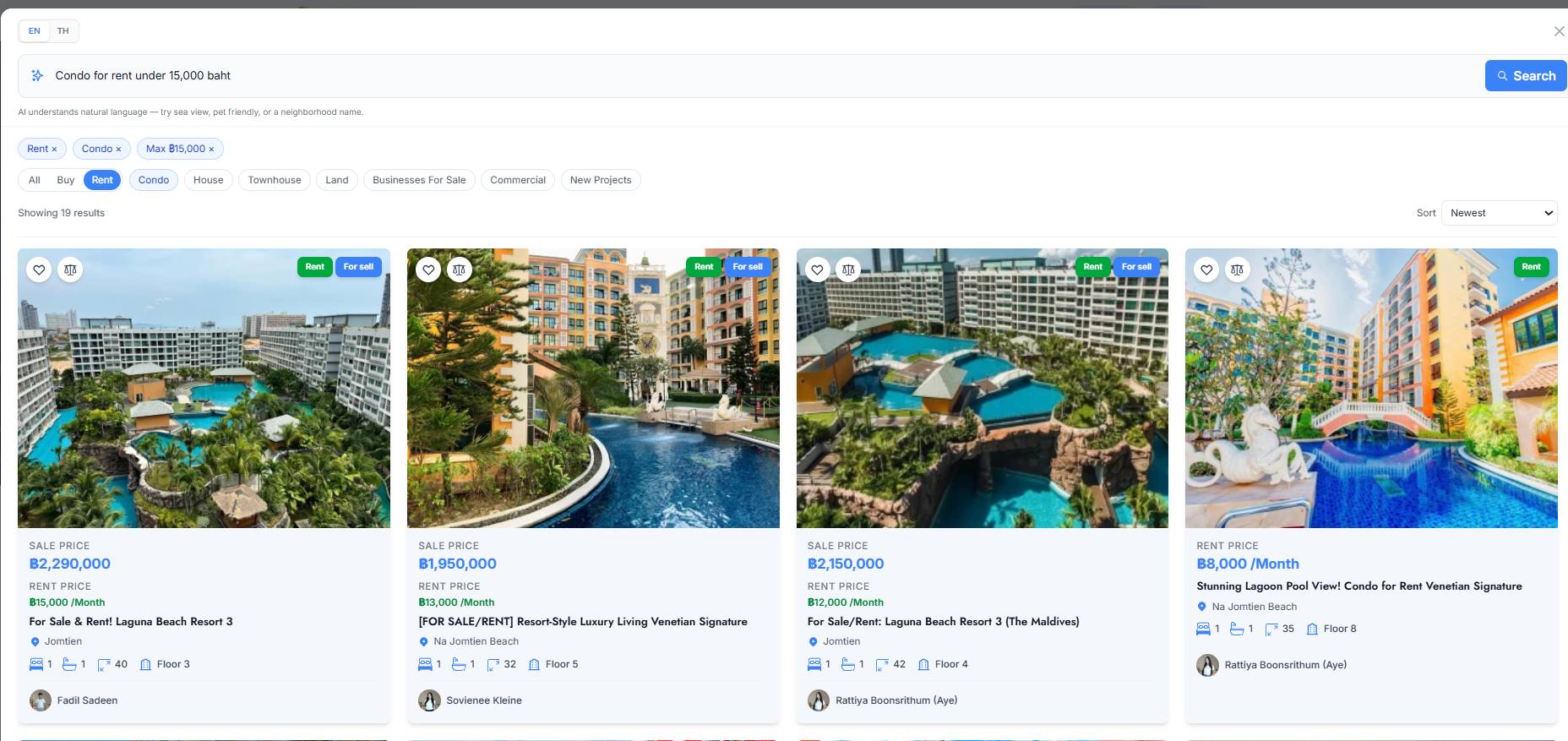
- AI-powered search, building on that foundation, we added a natural-language AI search option, letting buyers describe what they want in plain language and have the system interpret intent and surface matching listings, rather than requiring them to know exact filter terms
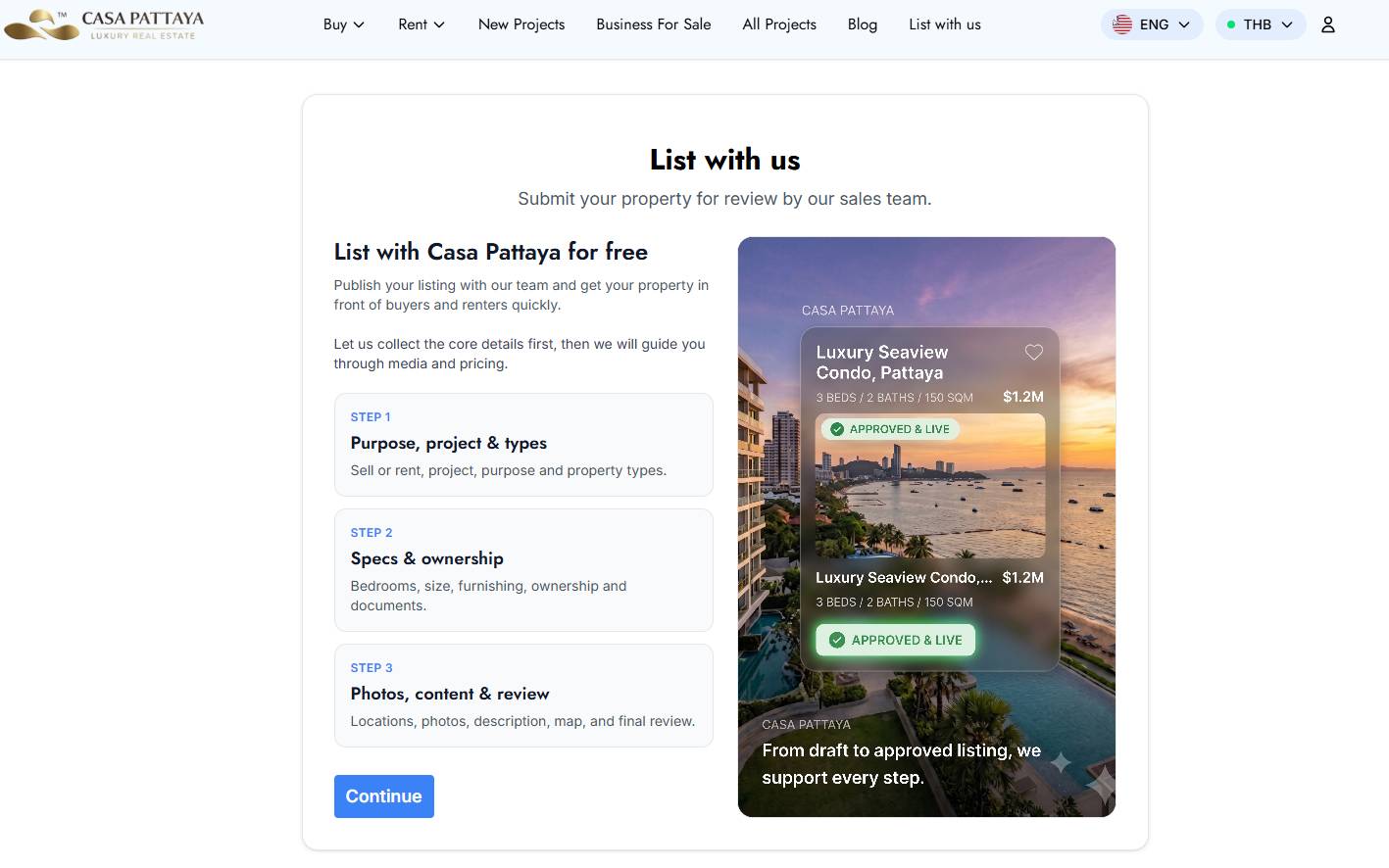
- A dedicated "List With Us" page, a clear, purpose-built funnel for property owners and landlords to submit their property to Casa Pattaya for representation, replacing the scattered, unclear submission paths on the old site
- A built-in CRM, a Livewire-powered internal dashboard for the sales team to manage inbound leads from property enquiries, the AI search, and List With Us submissions, alongside a parallel pipeline for tracking relationships with property owners, all inside the same Laravel application rather than a bolted-on third-party tool
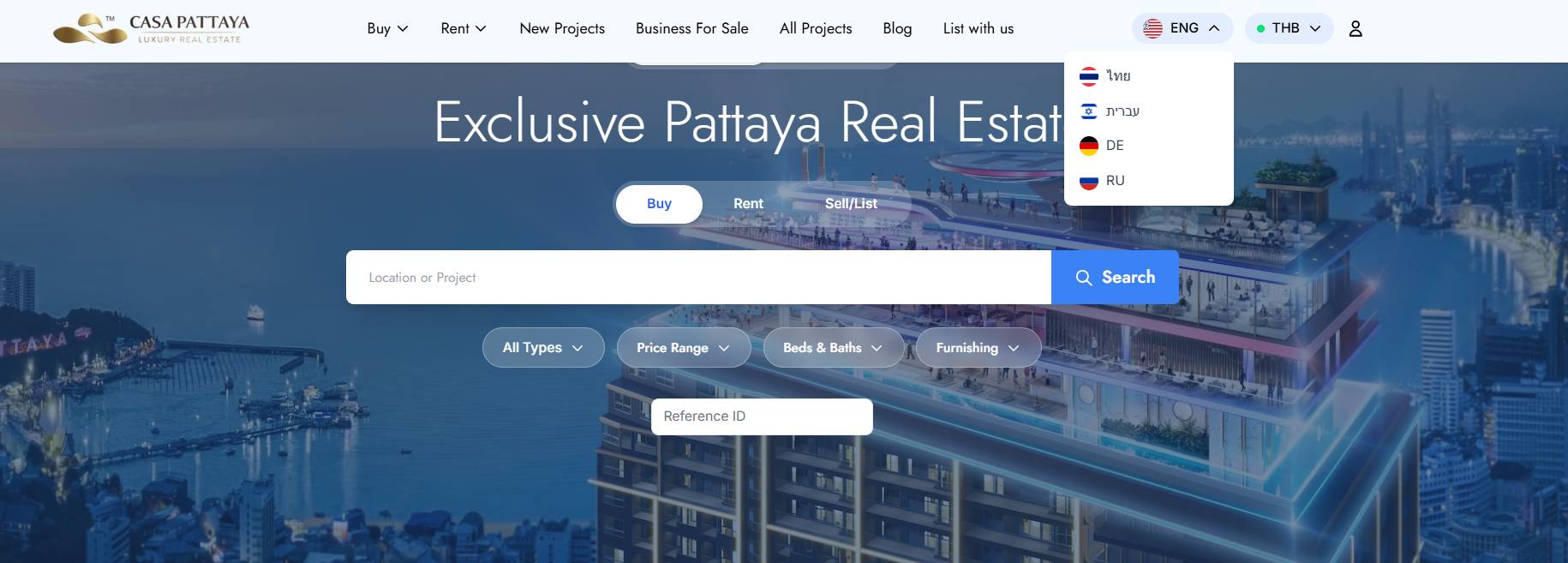
- A five-language interface - Thai, English, Russian, Hebrew, and German -built natively into the Laravel front end, so international buyers can browse listings, use search, and enquire in their own language instead of relying on browser translation
SEO Results After Launch
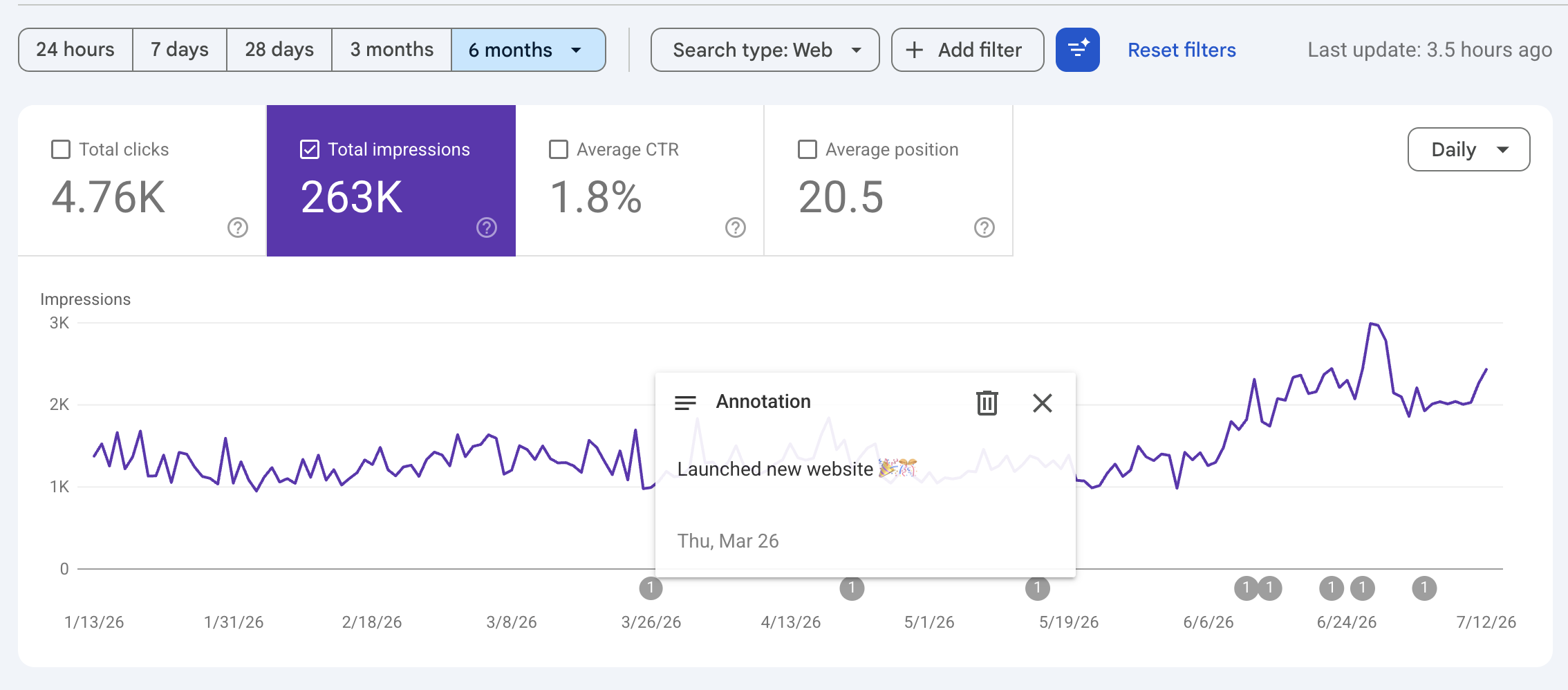
The clearest sign that the migration protected rather than damaged the site's search presence came from Google Search Console. Because every blog post and property kept its original URL, and the new Laravel site launched with a properly indexed, working search experience in place of WordPress's broken one, Casa Pattaya saw search visibility climb rather than dip after launch - the opposite of the temporary drop that large-scale migrations often cause.
Over the six-month window shown above, the site logged 263K total impressions and 4.76K clicks, with an average position of 20.5. More notably, the daily impressions trend shows a clear step up in visibility beginning around the March 26 launch date, sustained in the months since- direct evidence that preserving URLs and fixing search paid off in how the site performs in Google itself, not just for visitors on the page.
Tech Stack
- Backend Framework: Laravel
- Frontend Reactivity: Livewire (Blade components, no separate SPA)
- Migration Tooling: Custom Laravel Artisan console commands with dry-run and idempotent re-run support
- Search: Custom-indexed site search, extended with AI-powered natural-language search
- Lead & Owner Management: Custom-built CRM module within the Laravel application
- SEO Continuity: Original WordPress slugs preserved exactly on every migrated post and property, no redirect layer required
- Localization: Five-language interface - Thai, English, Russian, Hebrew, and German
Results
- A complete migration of the site's full history, every blog post and property listing, from WordPress to Laravel with zero content loss
- Site-wide search that actually works, replacing a WordPress search that regularly returned nothing useful
- A custom-built platform that finally reflects the brand's luxury positioning, instead of a generic WordPress theme
- Preserved SEO equity by keeping every blog post and property on its original URL, with no redirect layer and no risk to existing search rankings
- A clearer path to conversion, with a dedicated List With Us funnel and a built-in CRM connecting every lead source to the sales team
- A flexible Laravel + Livewire foundation that continues to support new features, including AI-powered search, without the constraints of a plugin-based CMS
Thinking About Migrating from WordPress?
If you're experiencing slow performance, plugin conflicts, limited customization, or concerns about scalability, we can help you migrate to a custom Laravel platform while preserving your SEO and improving your website's performance.
Contact Digital Agency Bangkok for a free consultation and discover what's possible with a custom-built website.