



How a CRM Makes Running a Business Genuinely Easier

How a CRM Makes Running a Business Genuinely Easier
Most businesses don't set out to lose track of customers. It happens gradually — a lead follows up by email, another by phone, a third through a social media message, and within a few months, that information is scattered across inboxes, sticky notes, spreadsheets, and someone's memory of "the client who called last Tuesday." Nothing about this is dramatic or obviously broken, which is exactly why it persists for so long in so many businesses. But it quietly costs sales, frustrates customers, and adds real friction to work that should be simple — which is precisely the problem a CRM (Customer Relationship Management) system exists to solve.
What a CRM Actually Is, in Practical Terms
More Than Just a Digital Contact List
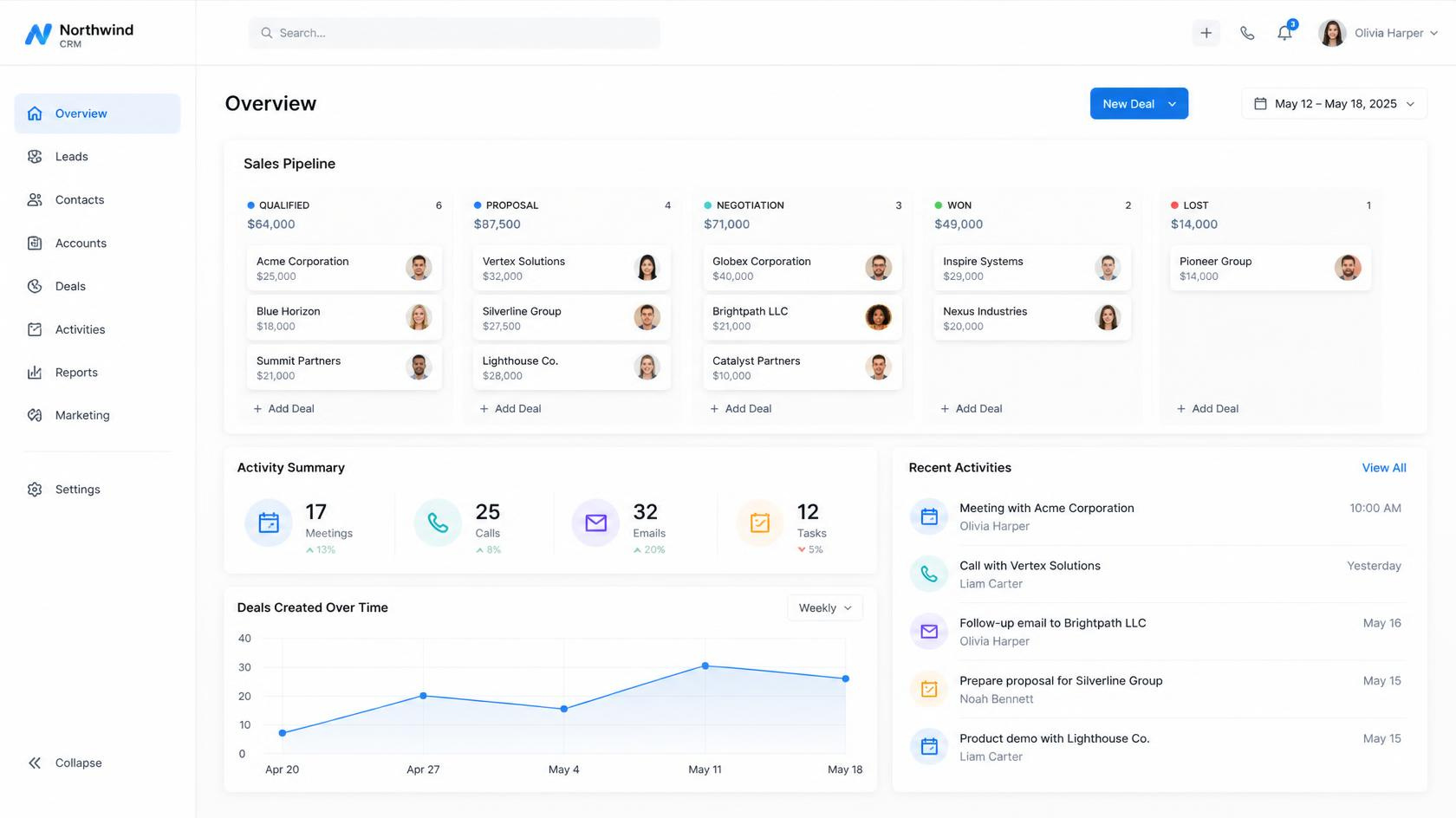
A CRM is often described simply as a place to store customer contact information, but that undersells what it actually does. A genuinely useful CRM centralizes every interaction a business has with a customer or prospect — emails, calls, meetings, purchases, support tickets — into a single, organized record, so that anyone on the team can see the complete history of that relationship in one place, rather than piecing it together from scattered sources.
The Core Problem It Solves
Without a CRM, customer information tends to live wherever it was most convenient to capture it at the time — a salesperson's personal notes, a shared inbox, a spreadsheet someone built years ago and everyone's still using out of habit. This fragmentation means information gets lost, follow-ups get missed, and different team members can end up with a completely different, often contradictory understanding of where a specific customer relationship actually stands. A CRM solves this by giving the entire business one consistent, shared source of truth.
Why a CRM Genuinely Makes Business Easier, Not Just More Organized
It Removes the Mental Burden of Remembering Everything
Without a centralized system, a significant amount of a salesperson or account manager's mental energy goes toward simply remembering who needs a follow-up, what was last discussed, and what's supposed to happen next. A CRM offloads that burden onto the system itself — tracking follow-up dates, logging conversation history, and surfacing exactly what needs attention, freeing up mental energy for the actual relationship-building and selling work that a person is uniquely positioned to do well.
It Prevents Leads and Opportunities From Quietly Falling Through the Cracks
One of the most common, costly problems in businesses without a CRM is leads simply going cold because nobody followed up at the right time — not due to lack of interest from the prospect, but because tracking who needed a follow-up, and when, depended entirely on someone's memory or an easily overlooked note. A CRM makes this kind of lost opportunity considerably rarer by automatically tracking and surfacing pending follow-ups rather than relying on individual memory alone.
It Makes Handoffs Between Team Members Genuinely Smooth
When a customer relationship needs to move between people — from a marketing team to sales, from sales to account management, from one employee to their replacement — a CRM means the new person inherits a complete, accurate history rather than starting from scratch or awkwardly asking the customer to re-explain their own situation, which tends to leave a poor impression regardless of how good the actual product or service is.
It Provides Genuine Visibility Into What's Actually Happening in the Business
Without a centralized system, business owners and managers often have only a rough, anecdotal sense of how many prospects are in the pipeline, how deals are progressing, or which customers might be at risk of leaving. A CRM turns that vague sense into an actual, reviewable picture — how many opportunities exist, at what stage, with what estimated value — supporting far more informed decisions than instinct or memory alone.
It Reduces Repetitive, Manual Administrative Work
Many CRMs automate routine tasks that would otherwise consume significant staff time — sending a follow-up email automatically after a certain trigger, logging a call automatically rather than requiring manual note-taking, or generating a report that previously required manually pulling data together from several disconnected sources.
How Different Parts of a Business Actually Benefit
Sales Teams
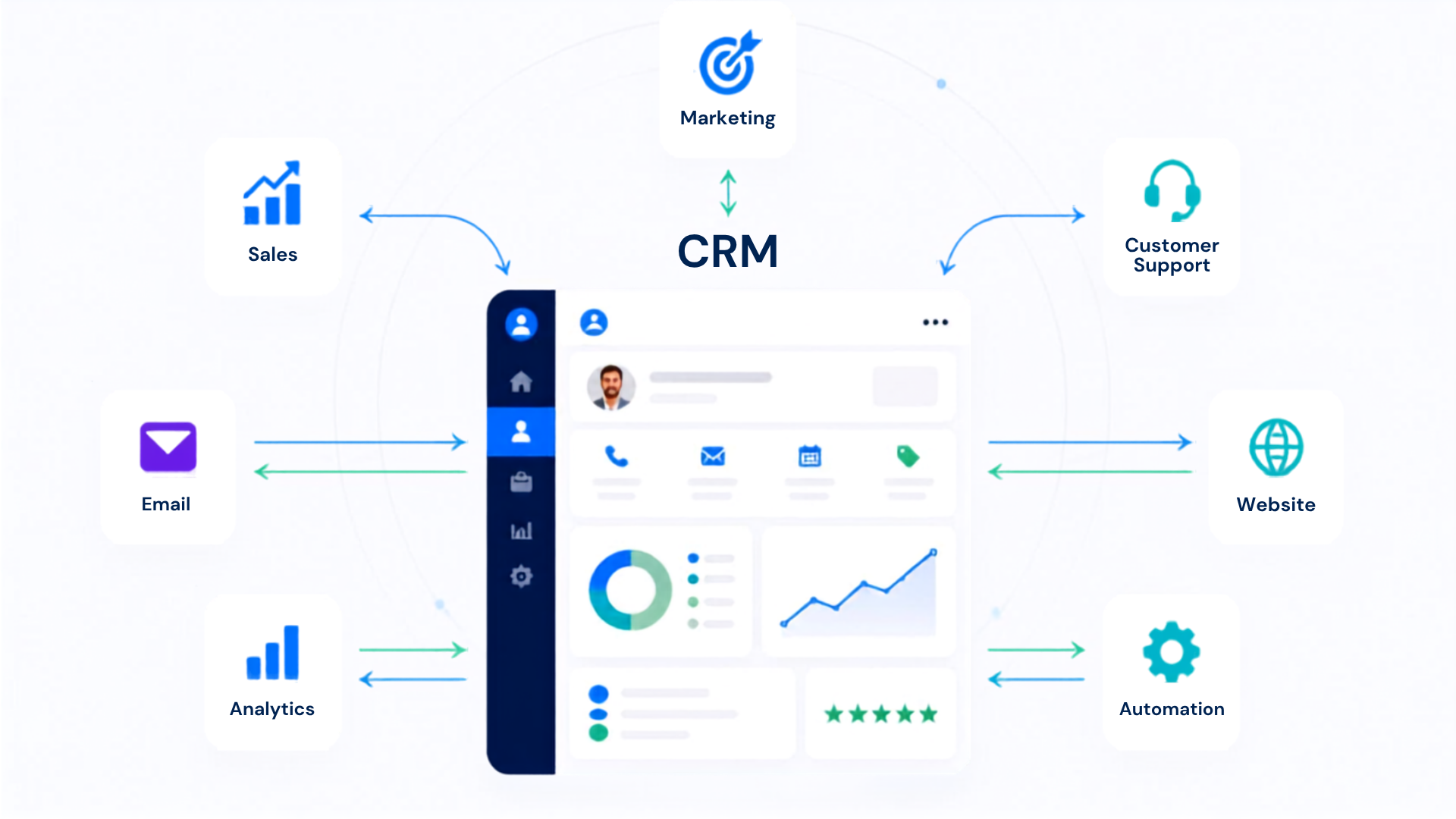
- A clear, organized pipeline showing exactly where every prospect stands, rather than relying on memory or scattered notes to track progress.
- Automated reminders ensuring follow-ups happen at the right time, rather than depending entirely on individual diligence.
- Historical context on every prospect and customer, meaning a salesperson picking up a lead someone else previously worked with can quickly understand the full relationship history rather than starting cold.
Marketing Teams
- Clear visibility into which marketing efforts are actually generating leads that convert into real customers, rather than only tracking surface-level engagement metrics disconnected from actual sales outcomes.
- The ability to segment contacts based on genuine behavior and history, supporting more relevant, targeted campaigns rather than generic messaging sent to an entire undifferentiated list.
Customer Service and Support Teams
- Immediate access to a customer's full history when they reach out, meaning support staff aren't starting from zero or asking a frustrated customer to repeat information they may have already provided elsewhere.
- Clear tracking of open issues and their status, reducing the chance that a customer's concern gets lost or forgotten between different points of contact.
Business Owners and Managers
- A genuine, data-backed view of overall business health — pipeline value, conversion rates, customer retention trends — supporting more informed strategic decisions than relying on anecdotal impressions alone.
- Easier identification of top-performing team members, most valuable customer segments, and areas where the sales or service process may be losing opportunities unnecessarily.
A Practical Illustration of a CRM in Action
Consider a small home renovation contracting business that had, for years, tracked customer inquiries through a mix of a shared email inbox, a paper notebook kept by the owner, and individual staff members' personal phone contacts. Leads regularly went unanswered for days simply because nobody had clear ownership of following up, and the business had no reliable way to know how many active prospects it actually had at any given time, or which ones were most likely to convert soon. After implementing a CRM, every new inquiry — regardless of whether it arrived by phone, website form, or referral — was logged into a single system, automatically assigned to a specific team member, with built-in reminders ensuring no lead sat untouched for more than a set number of days. Within a relatively short period, the business saw a noticeable improvement in how many leads actually converted into booked projects, not because the underlying quality of leads had changed at all, but because far fewer of them were being lost simply due to delayed or missed follow-up.
What to Actually Look for When Choosing a CRM
Matching the Tool to Real Business Needs, Not Just Popularity
- Ease of use for the actual team that will use it daily — a CRM with powerful features that staff find too complicated or time-consuming to use consistently provides little real value, regardless of its theoretical capability.
- Integration with tools already in use — email platforms, accounting software, marketing tools — since a CRM that operates in isolation from a business's other systems creates its own new form of fragmented, disconnected information.
- Appropriate scale for the business's actual size and complexity — a small business with a handful of team members generally doesn't need the same level of complexity as a large enterprise sales organization, and choosing an overly complex system can create unnecessary friction and cost without adding proportional value.
- Mobile accessibility, particularly for businesses with staff who spend significant time away from a desk — sales representatives visiting clients, service technicians in the field — since a CRM that's only conveniently usable from a desktop computer limits how consistently it actually gets used.
Getting a CRM to Actually Deliver Value, Not Just Sit Unused
Adoption Matters More Than the Specific Tool Chosen
A CRM only delivers value if the team actually uses it consistently — a powerful system that staff work around, rather than genuinely adopting into their daily routine, provides little more benefit than the scattered, informal systems it was meant to replace. Businesses that see the strongest results from a CRM typically invest real effort into proper setup, clear internal expectations about consistent usage, and genuine training, rather than simply purchasing a subscription and expecting adoption to happen automatically.
Starting With Core Functionality Before Expanding
Many CRMs offer extensive, advanced features that can feel overwhelming if a business tries to implement everything at once. A more sustainable approach often involves starting with the core functionality most directly relevant to a business's most pressing need — contact organization and follow-up tracking, for instance — before gradually expanding into more advanced automation, reporting, and integration as the team becomes comfortable with the fundamentals.