



Shopify vs WooCommerce: Which Is Better for Businesses in 2026?





If you ask a Bangkok agency whether to build on Shopify or WooCommerce, you often get a religious answer.
Shopify people talk about “just works.” WooCommerce people talk about “you own it.” Both are half true. The useful question in Thailand is narrower: who takes PromptPay, who pays which fee every month, and who is still able to edit the store in six months.
This is not a “what is WooCommerce” explainer. We already published that: What is WooCommerce? A guide for online stores. This article is the decision between the two platforms for a Thai business in 2026, using the same ecommerce build range we publish on our ecommerce website development page and in How much does a website cost in Thailand in 2026? (฿39,500–฿150,000 depending on catalogue, payments, and shipping rules).
Short answer: pick Shopify if selling is the whole website and you want Shopify to host, update, and keep checkout running. Pick WooCommerce if you already need a real WordPress site (blog, services, Thai–English pages) and a store sitting on the same domain, and you are willing to pay for hosting and maintenance instead of a Shopify subscription.
What you are actually buying
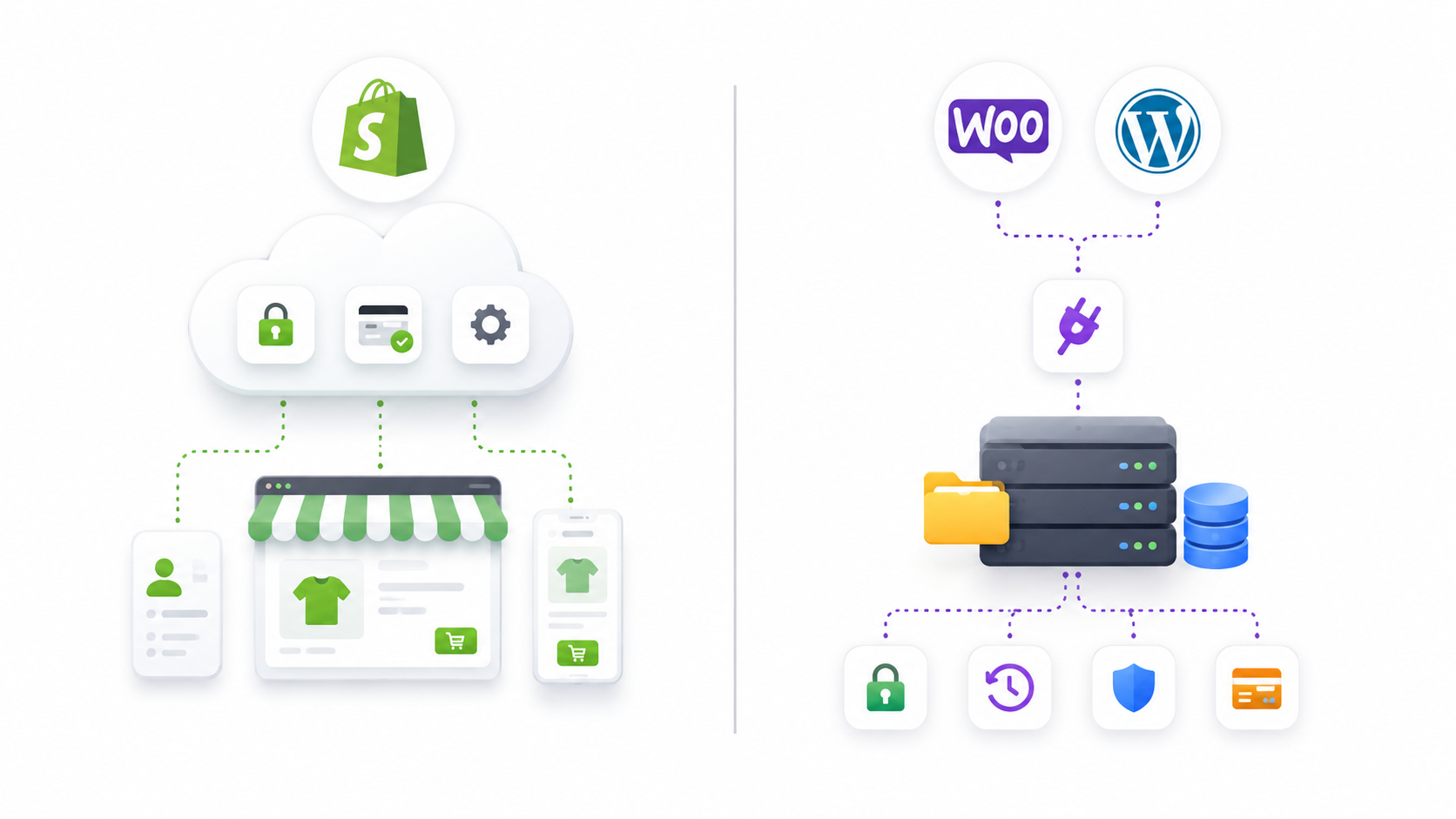
Shopify is a hosted store. You rent the platform. Hosting, SSL, checkout, and the admin live on Shopify. You pay them every month in USD. Themes and apps sit inside their rules. If you stop paying, the store stops.
WooCommerce is a WordPress plugin. The store is files and a database on a server you (or your agency) control. The plugin is free. Hosting, SSL, backups, security, and a Thai payment gateway are not free. If the server is neglected, the store still “exists” and still breaks.
So the comparison is not “free vs paid.” It is rent a finished shop vs own a shop that you have to run.
A custom web app (booking engines, client portals, Laravel/React) is a third product. If customers must log in and *do something* besides buy a SKU, you are not in this article. That is custom web application development.
What it costs in Thailand
There are two bills: building the store, and keeping it open.
Build cost (the agency invoice)
Our published ecommerce range is ฿39,500–฿150,000. That is the work of turning a catalogue into a store Thai customers can actually check out of: products and variants, PromptPay/card gateways, order status, stock, invoices, shipping rules, and a mobile checkout that does not drop on 4G.
A 50-SKU shop and a 5,000-SKU shop are not the same job. The platform you choose does not magically shrink that range. Shopify is not “cheaper to build” just because the software is famous. Someone still has to design pages, import products, and wire Thai payments.
Details live on ecommerce website development and web design packages.
Shopify’s own monthly bill (USD)
Shopify bills the subscription in US dollars. From Shopify’s Thailand pricing page (annual billing, checked September 2026):
| Plan | Subscription (billed annually) | Extra fee if you use a third-party payment gateway |
|---|---|---|
| Basic | US$19 / month | 2% |
| Grow | US$49 / month | 1% |
| Advanced | US$299 / month | 0.6% |
| Plus | from US$2,300 / month | 0.2% |
Monthly billing is higher (Basic US$25, Grow US$65, Advanced US$399). Apps, email, and themes can add more. Shopify’s page also notes that some localisation features, including local payment methods, require Shopify Payments, and Shopify Payments is only available in some countries.
For a Thai merchant that almost always means: subscription + a Thai gateway’s fee + Shopify’s extra % on every order, because you are not on Shopify Payments.
WooCommerce’s monthly bill (THB)
There is no Shopify-style platform fee. You pay:
- domain (typically a few hundred to about ฿1,000 a year)
- hosting on a server that can survive checkout traffic
- SSL (often bundled)
- WordPress / WooCommerce / plugin updates and backups
- the payment gateway’s own processing fee (Omise/Opn, 2C2P, and similar), without Shopify’s extra percentage on top
Year-two costs are the same conversation as any site we host: see why you have to pay annual fees. Cheap WooCommerce on a random cPanel with nobody watching updates is how stores get hacked. That is not a platform problem. It is a maintenance problem.
Payments: PromptPay, cards, and the Shopify Payments gap
Thai shoppers pay with PromptPay, bank transfer, cards, and sometimes COD. A store that only takes Visa is leaving money on the table.
WooCommerce talks to Thai gateways as plugins. Omise (Opn Payments), 2C2P, and others are normal. You pay the gateway. You do not pay Shopify an extra 2% for the privilege.
Shopify in Thailand needs a third-party gateway from day one. That gateway can still offer PromptPay and cards. You then pay:
- the gateway’s processing fee, and
- Shopify’s third-party transaction fee (2% / 1% / 0.6% / 0.2% by plan, as above)
That second number is the part US blogs forget, because US stores on Shopify Payments do not pay it. Thai stores do.
Do not pick a platform because a YouTube video said “Shopify Payments is simpler.” Check whether Shopify Payments is actually offered to a Thailand-based store in your Shopify admin. If it is not, price the extra percentage into your margin before you fall in love with the theme.
SEO, content, and Google
If Google is a real sales channel, this section matters more than the theme.
WooCommerce lives on WordPress. Product pages, a blog, landing pages, and Thai–English URLs can sit on one site. That matches how we already build WordPress sites and how Google expects a content site to work. Rank Math, clean URLs, and a proper SEO retainer attach without fighting the platform.
Shopify can rank. Plenty of stores do. But the blog is a second-class citizen, URL rules are Shopify’s, and apps you install for SEO are still apps you pay for. If your plan is “publish two articles a week and rank for Thai commercial keywords,” WooCommerce on WordPress is the less awkward machine.
If your plan is “run ads and live shopping, the website is just checkout,” Shopify’s SEO limits hurt less.
Who has to keep the store running
Shopify’s pitch is operational: they patch the platform. You still have to manage products, apps, and the payment app. You do not SSH into a server.
WooCommerce’s pitch is control: you can change almost anything. You (or we) must update WordPress, WooCommerce, the theme, and plugins, keep backups, and watch malware. That is the work inside our WordPress services and annual hosting, not a surprise invoice if it was scoped.
Ask honestly: after launch, will someone on your team log in every week? If nobody will, do not buy a store that only survives with a careful admin. Shopify is more forgiving of an absent owner. WooCommerce is more powerful for a team that actually uses it.
Checkout, apps, and the things that break later
Shopify checkout is fast and familiar. Customising it is limited until Plus. Apps in the Shopify store are easy to install and easy to stack until the store is slow and the bill is ugly.
WooCommerce checkout is as good as the theme and gateway you paid for. A bad theme on cheap hosting will lose the sale on mobile. A good build on a Thai VPS will not. Plugins have the same stacking problem as Shopify apps. “Launch in a day” with twenty free extensions is how stores die in month four. We said the same in the WooCommerce guide.
If you already sell on Shopee or Lazada, neither Shopify nor WooCommerce replaces the marketplace on day one. An owned store is the channel you control. Marketplace vs owned store is a different article. Do not mix those fees into this quote.

Choose Shopify if
- the website *is* the store, not a company site with a cart bolted on
- you want one vendor for hosting, SSL, and checkout uptime
- your team will not maintain WordPress
- you sell the same catalogue on Instagram / TikTok / a marketplace and want those orders in one admin
- you accept USD subscription + Thai gateway + Shopify’s extra % on each order

Choose WooCommerce if
- you already have, or need, a WordPress site for content, services, or Thai–English SEO
- you want the store on your hosting and your domain, without a platform tax on every order
- PromptPay and Thai gateways should be a plugin, not a workaround
- someone (you or an agency) will actually update WordPress
- you may later need features that are awkward in Shopify without Plus (complex B2B, custom checkout, membership tied to the rest of the site)
A 20-minute way to decide
You do not need a 40-page comparison. Answer five questions:
- Is the site a store, or a company website that also sells? Store → Shopify is in the conversation. Company + store → WooCommerce on WordPress.
- Who updates it after launch? Nobody → do not choose neglected WooCommerce. Somebody competent → either works.
- Where do you need to rank? Google for Thai articles and service pages → WordPress/WooCommerce. Ads and social → either, Shopify is fine.
- What must checkout take on day one? PromptPay is not optional for most Thai retail. Price the gateway *and* Shopify’s extra % if you go Shopify.
- How many products, and how weird are they? Simple catalogue → both. Heavy custom product logic → WooCommerce or a custom app, not a cheap Shopify theme.
Typical timeline still follows our duration guide: ecommerce often 6–12 weeks, clock starting when we have product data, not when the contract is signed.
If you already know you need a store, start from ecommerce website development or packages. If you only know “we need to sell online,” that is a 20-minute call: pages, SKUs, PromptPay, Thai and English. We will tell you which of the two you are in before anyone picks a theme.
Call 098-765-5243 or 098-765-5701, email [email protected], or send the quote form. Ask for a Shopify store or a WooCommerce store, not a mystery bundle.